pacman::p_load(ggHoriPlot, ggthemes, tidyverse)In-Class_Ex06a: Horizon Plot with R
1 Overview
also Chapter 20
2 Data Preparation
installing the packages
Importing the data. We also noticed that the current date fields in the data source is a categorical variable, and thus the mutate function is called to transform the data to a date variable.
averp <- read_csv("data/AVERP.csv") %>%
  mutate(`Date` = dmy(`Date`))
3 Creating Horizon Graph
averp %>%
  filter(Date >= "2018-01-01") %>%
  ggplot() +
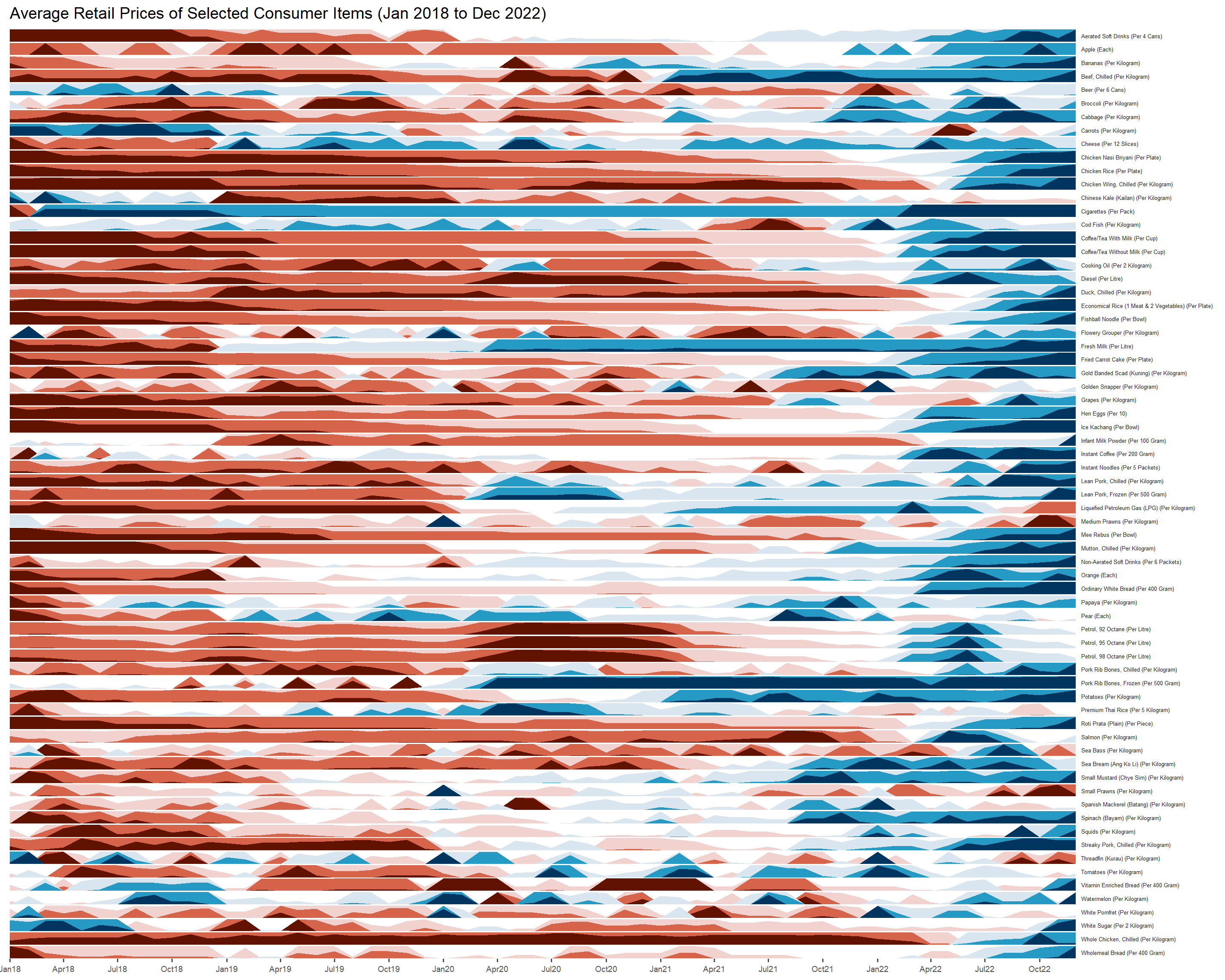
  geom_horizon(aes(x = Date, y = Values),
               origin = "midpoint",
               horizonscale = 6) +
  facet_grid(`Consumer Items`~.) +
  theme_few() +
  scale_fill_hcl(palette= 'RdBu') +
  theme(panel.spacing.y = unit(0, "lines"), strip.text.y = element_text(size = 5, angle = 0, hjust = 0),
        legend.position = "none",
            axis.text.y = element_blank(),
    axis.text.x = element_text(size=7),
    axis.title.y = element_blank(),
    axis.title.x = element_blank(),
    axis.ticks.y = element_blank(),
    panel.border = element_blank()) +

  scale_x_date(expand=c(0,0), date_breaks = "3 month", date_labels = "%b%y") +
  ggtitle('Average Retail Prices of Selected Consumer Items (Jan 2018 to Dec 2022)')